Edit a video by describing it
Videoleap is Lightricks’ video editor for social media content, on iOS, Android, and the web, with 95M+ downloads. Creators and businesses use it to make Reels, TikToks, and ads, often starting from a template. Many know exactly how they want a video to look, but not how to get there with editing tools.
- Project
- AI Editor
- Company
- Videoleap
- Role
- Product designer
- Team
- Product manager, data analyst, UX researcher, UX writer, development team, and marketing team
The problem
Users know the look they want, but not how to edit their way there
Opportunity
AI and LLMs made it possible to rethink the interface and shorten the learning curve
Brainstorming
In light of recent advancements in large language models (LLMs), the team has begun considering the feasibility and value of integrating a chat infrastructure into Videoleap. Traditionally, Videoleap’s solutions for enhancing video editing have primarily been integrated within the editor's built-in infrastructure. Examined the features offered by competitors and various chat applications to gain valuable insights, to determine the type of response the team is capable of providing and interested in delivering through chat.
Exploring the chat vision
Then designed chat screens in Videoleap’s visual language, deliberately without technical constraints: first the ideal solution to the problem, then a partial version of it that could ship as an MVP.
Ready-made actions give users an immediate starting point and show what the chatbot can do.
Settings let the chat adapt to different needs, preferences, and skill levels. Advanced settings could also be offered as premium features.
Chat personas add specialized expertise and a distinct voice, and could be monetized as premium personas or sponsored personas with brands.
A settings summary panel shows the active settings for the current chat at a glance, so users can check their setup, and invites them to customize it.
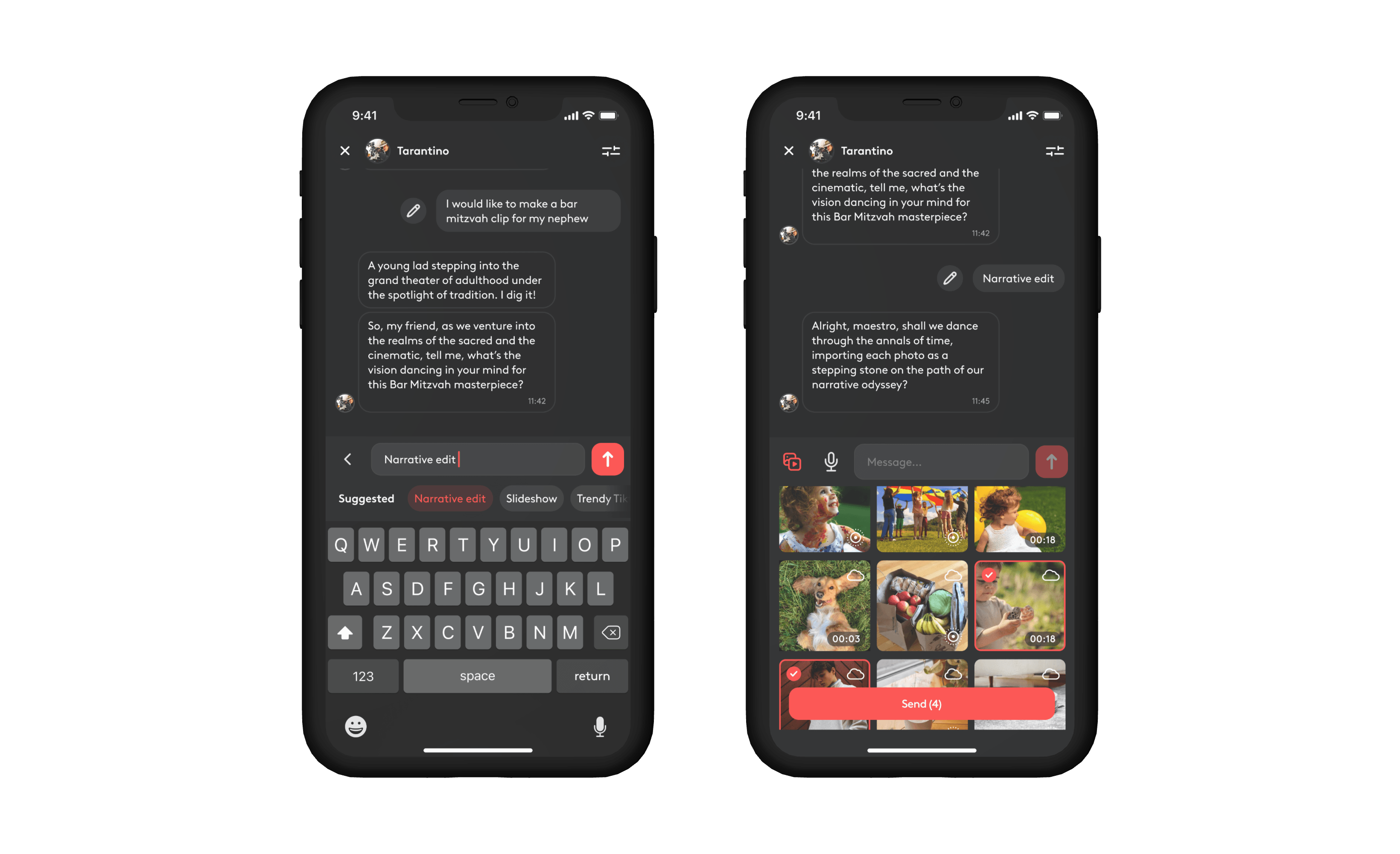
The typing area is where users say what they need, so the design makes it do more: typing suggestions for quick replies, voice recording for those who prefer to speak, and media import for sharing assets.
Generative AI editing features fit naturally into a conversation, and they bundle several tools into one automated, customizable result. For example, AI Recolor combines Tone Lab, Filters, and Adjust to grade a video from a single description, putting advanced editing within reach of any skill level.
In a chat, results appear right away and users can ask for changes in plain words, which makes iterating quick and far less technical than in traditional editing software.
Vision prototype
The solution
Measuring success
MVP features
A dedicated entry point on the home screen and the new project screen, so the AI Editor is easy to find.
Multi-selection on the import screen, so users can bring in several assets at once.
A sequence of questions works out the user’s preferences, such as content theme and editing mood, with both suggested and free-text answers. The interface works with backend processing on GPT-3.5/4, which matches the answers to the best templates in a vector database.
Safeguards for inappropriate or invalid prompts: the system detects them and responds with contextual alerts.
The result opens in the template’s mini editor, separate from the chat. Reusing this existing functionality saved development time compared with building a preview into the chat, and users can still regenerate the video with a different template, edit it further, and save it.